Recording an Absence (Illness and Holiday)
How to log sick leave, illness, holiday, annual leave, or any other absence. Covers recording time off and what to do about cancelling sessions when you are away.
Overview
If you are going to be away, you can record this in Salesforce so it is visible to the team.
If you need sessions to be cancelled, you will need to cancel them manually.
This absence record is mainly there so Senior Leadership can see that you are away.
For example, if a parent or carer gets in touch while you are on holiday or unwell, the team can check this first and avoid contacting you unnecessarily.
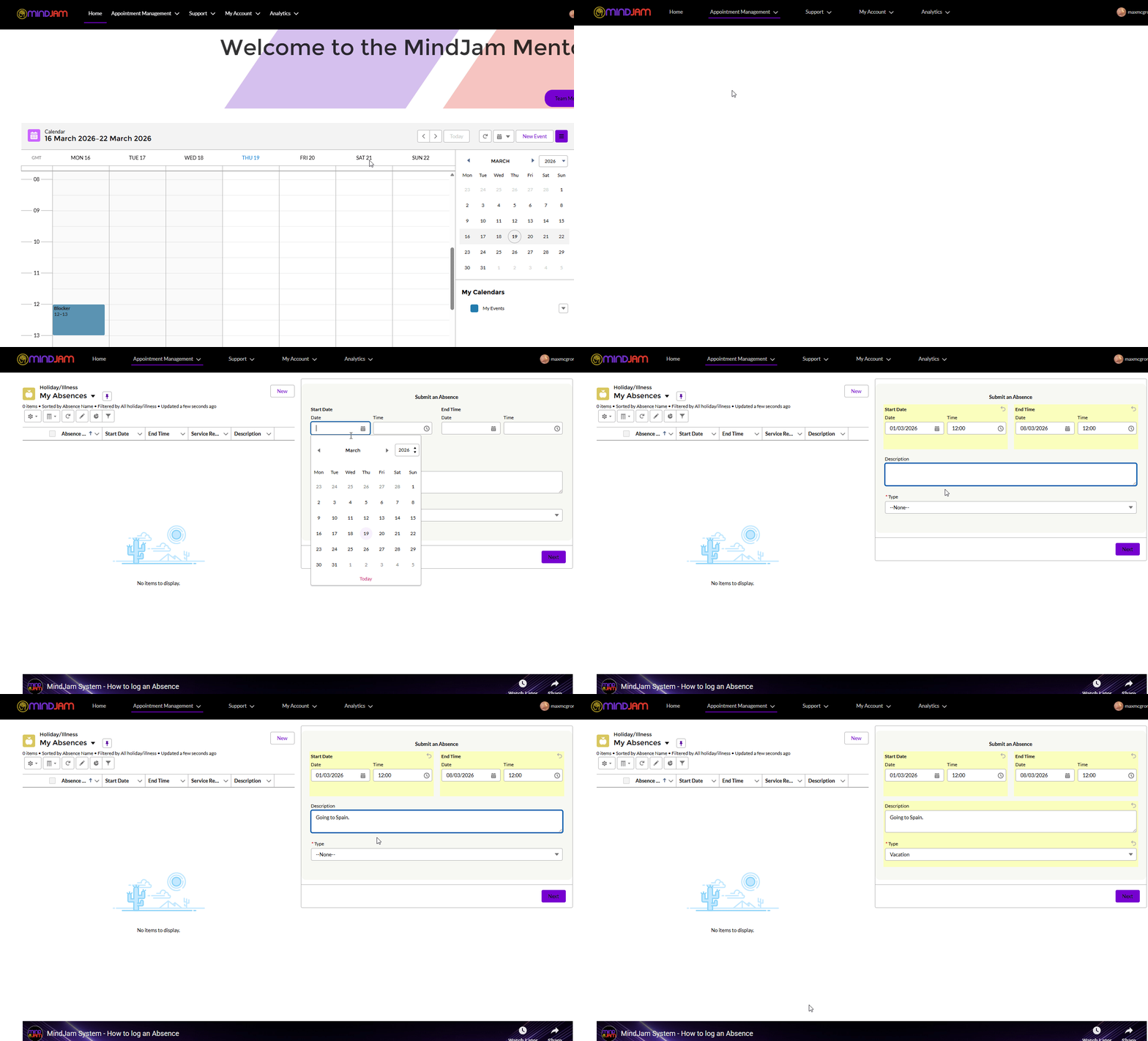
How to Add an Absence
To record an absence:
- go to Appointment Management
- open Absences
- click New
- enter the details
- click Save
Your absence will then be added to the system.
What This Is Used For
This does not automatically cancel sessions for you.
Instead, it is mainly used so the Senior Leadership team can see that you are unavailable.
This helps avoid confusion if someone tries to contact you while you are away.
Useful Tip
If you use this section regularly, it can help to pin the most useful view.
Select My Absences
Pin that view
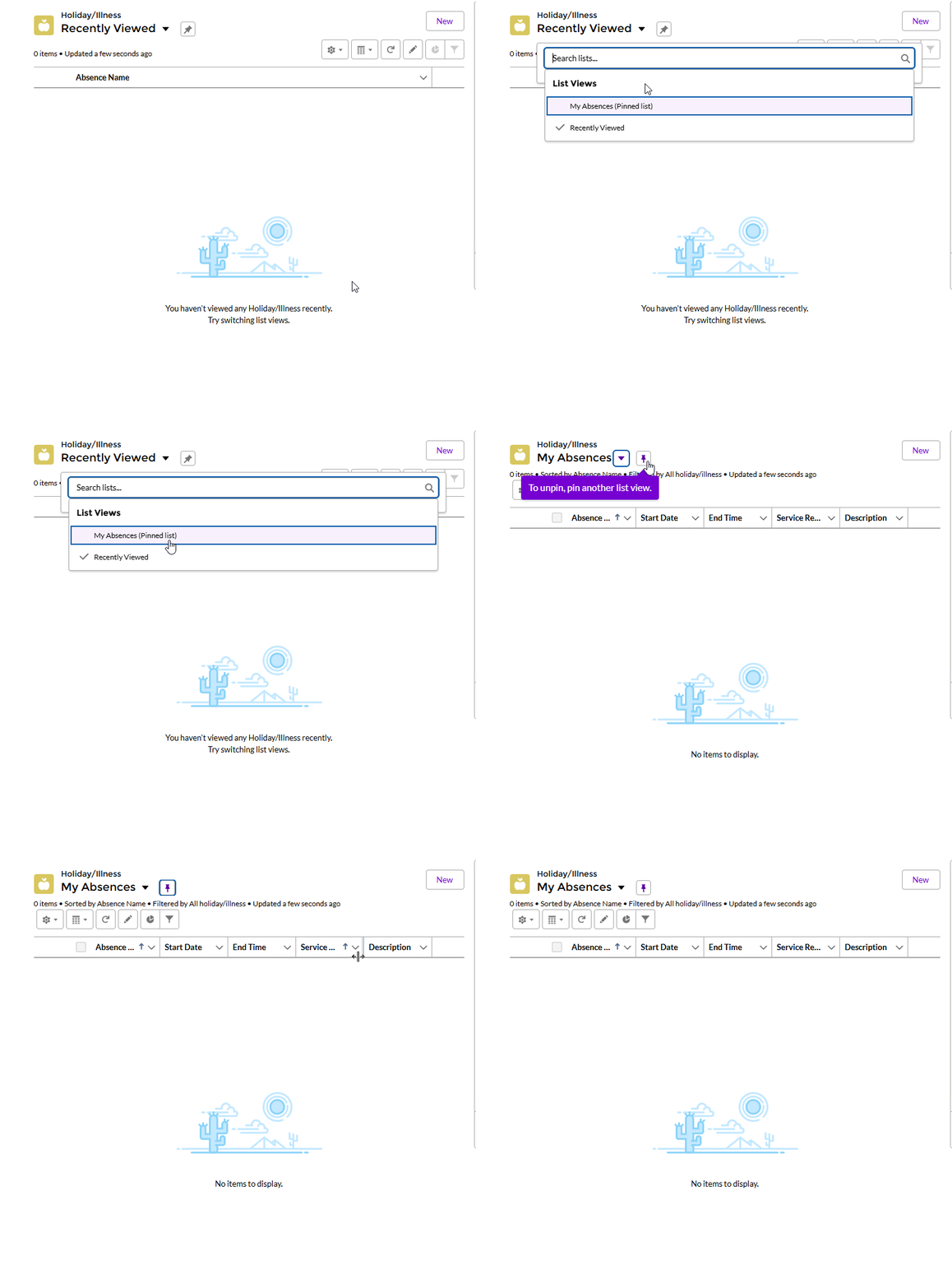
This makes it quicker to return to your own absence records later.
Key Point
Record your absence in the system so the team can see you are away, but remember to cancel any sessions separately if needed.