How to Log a Support Ticket
How to raise a support case, report a bug, submit a query, or get help with a problem on the Community Site.
Overview
If you need to contact Senior Leadership or a specific department, you can do this using Support Tickets.
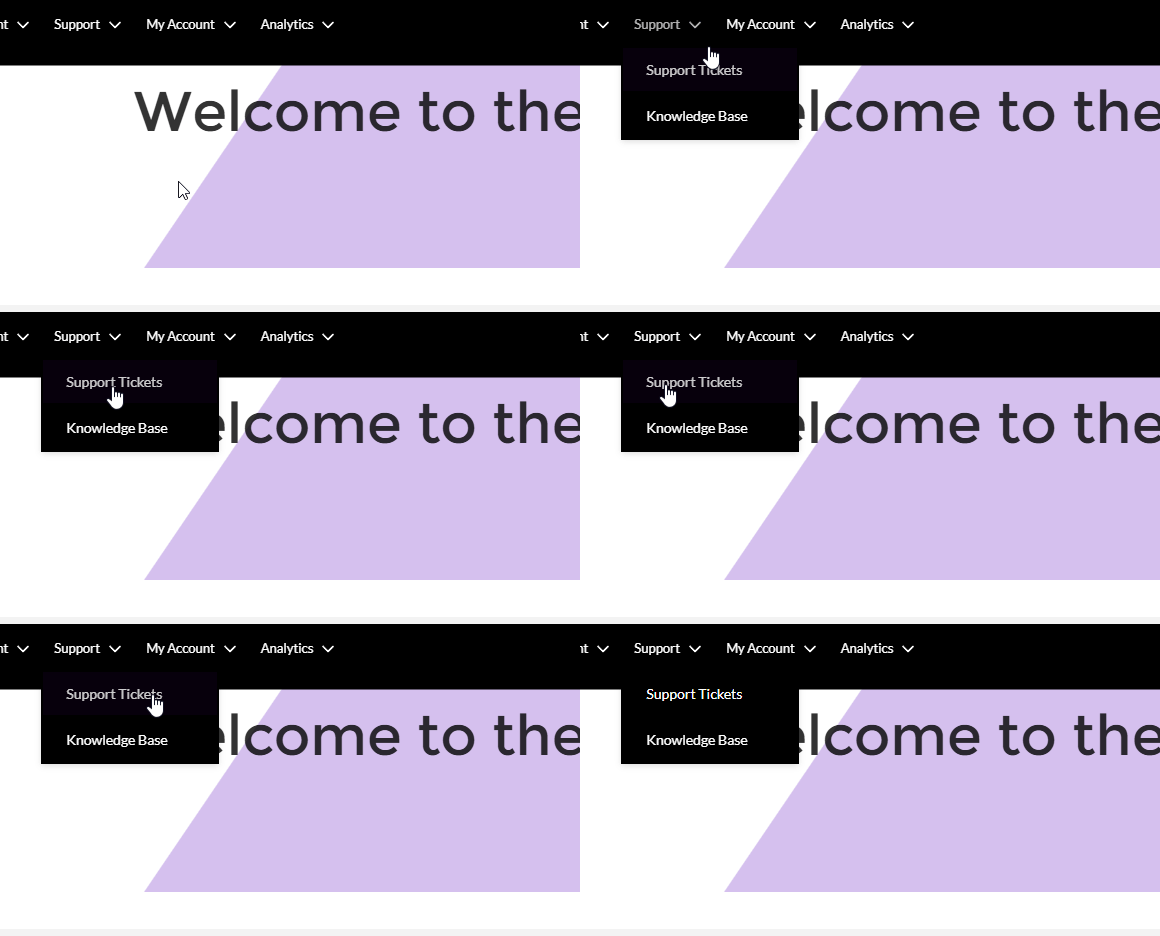
To access this section:
- Click Support
- Click Support Tickets
Important
Please do NOT log safeguarding concerns through the ticket system. The ticket system is for general questions and support requests only. If your concern is safeguarding-related, you must use the safeguarding form instead:
How to Raise a Ticket
- Go to Support
- Click Support Tickets
- Click Raise a Case
Filling in the Form
Case Category
Choose the option that best matches your question (e.g. Finance, Provision, SEND, General Advice).
Priority
High: Urgent issues that need attention within the next 24 hours.
Medium: Important but not urgent.
Low: General questions or non-urgent requests.
Subject
Add a short, clear title (e.g. invoice query, mentee match question).
Description
Add a brief explanation of the issue or question.
Click Next to submit your ticket.
Checking Your Ticket
To view your tickets, click My Cases.
This will show:
- new tickets
- older tickets
- current status
Replies and Updates
When someone replies, you will receive an email notification.
You can also check the Chatter section on the right-hand side of the ticket.
This is where updates and replies appear.
You can reply there yourself. To see the full history, click More Comments.
Key Point
Use Support Tickets for general questions or to contact a department or senior leadership.
Do not use tickets for safeguarding concerns. Use the safeguarding form instead.